Concept project
Custom WordPress Booking Plugin
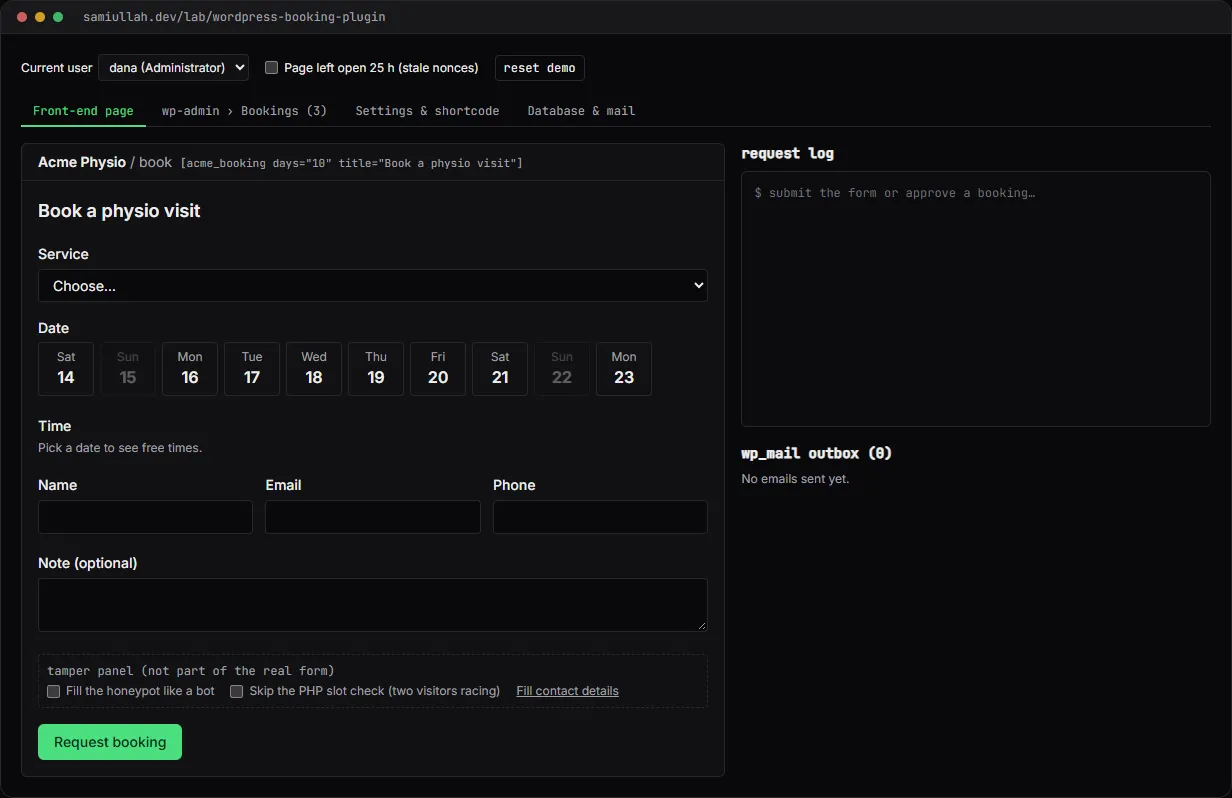
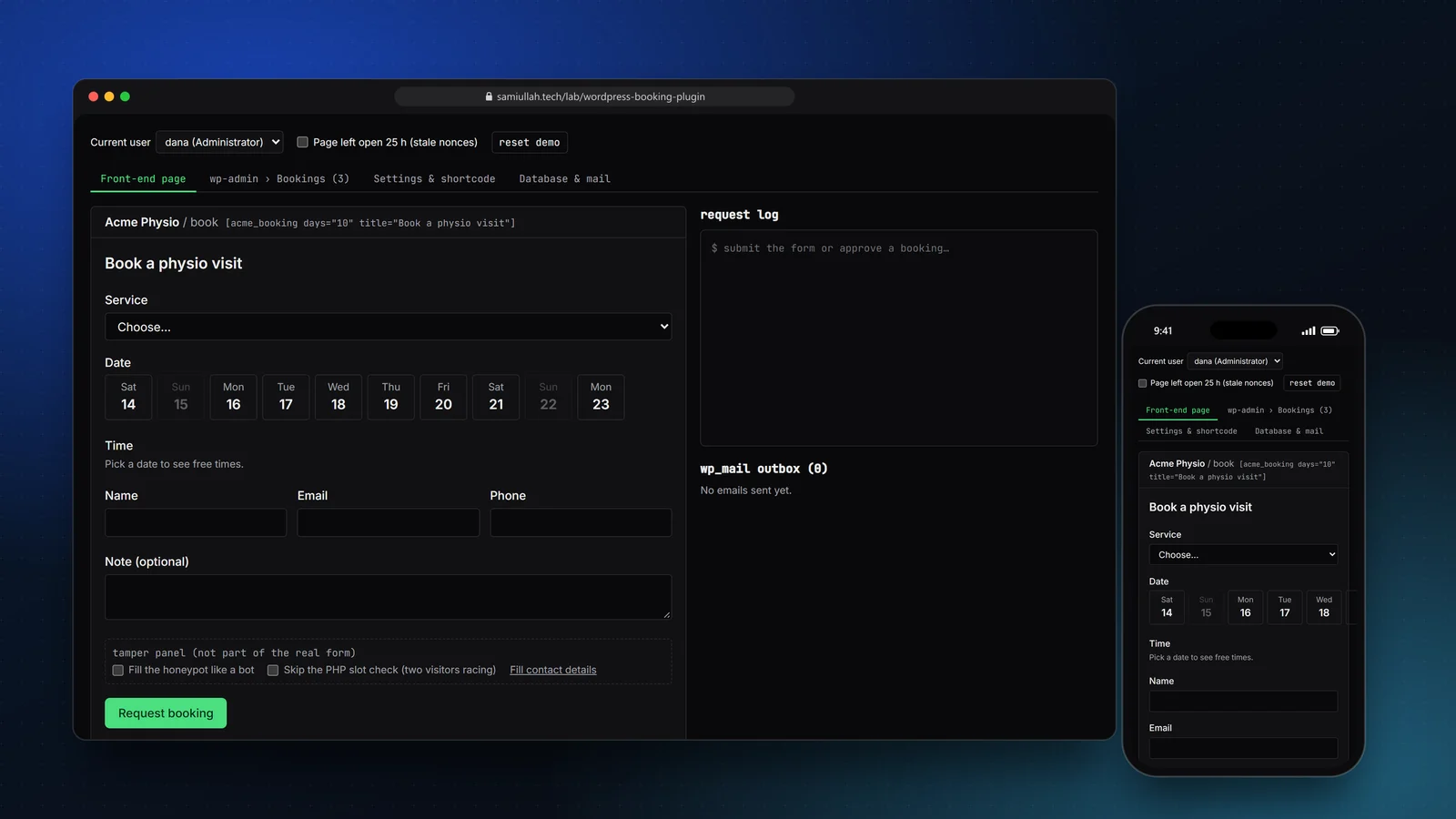
A concept project with a working demo: a custom WordPress booking plugin with a front-end form, a REST endpoint, a wp-admin list table with approve and decline actions, email alerts and a custom MySQL table. The demo simulates the plugin in the browser and lets you test its nonce, capability and double-booking checks.
Overview#
Small clinics and salons often run three heavy plugins to take booking requests. This concept is one focused WordPress plugin for the job: a form that visitors can use with the keyboard alone, an admin screen that looks like the rest of wp-admin, and email at each step.
The live demo lets you use both sides: the public booking form and the admin list table. It also has a tamper panel, because the interesting parts of a plugin like this are the checks that stop misuse.
My role#
Everything: the plugin design and PHP, the table schema, the browser simulation, the interface and this write-up. It is a concept project; the clinic and its patients are made up.
The problem#
A booking form looks simple, but it is a public write endpoint on a site that usually runs on shared hosting. It has to handle:
- Forged and replayed requests. Admin actions must come from a logged-in admin who actually clicked the button.
- Bots. A public form gets spam within days.
- Double booking. Two people can press Submit for the same slot within the same second.
- Data that outgrows post meta. Bookings are queried by date and status. Storing them as posts with meta makes those queries slow and awkward.
Approach & architecture#
- Form (nonce + honeypot)then
- POST /wp-json/acme-booking/v1/bookingsthen
- validatethen
- $wpdbthen
- insertthen
- wp_mail admin + customer
- $wpdbthen
- insertthen
- duplicate keythen
- 409 slot taken
- Row action linkthen
- admin-post.phpthen
- current_user_canthen
- check_admin_refererthen
- UPDATE statusthen
- wp_mail customer
A custom table. Requests live in wp_acme_bookings, created with dbDelta on activation and upgraded when the stored schema version changes. The key design choice is the generated column:
active_slot varchar(20) GENERATED ALWAYS AS
  (IF(status IN ('new','confirmed'), CONCAT(slot_date,' ',slot_time), NULL)) STORED,
UNIQUE KEY active_slot (active_slot),
KEY status_date (status, slot_date)
Only open requests hold a slot. MySQL allows many NULL values in a unique index, so declined and cancelled rows free their slot, while two open requests for the same time cannot exist.
Check in PHP, guarantee in MySQL. The REST callback looks up taken slots and answers a friendly 409 before inserting. That check has a race window, so the insert itself is the real guard:
$ok = $wpdb->insert( $table, $row, array( '%s', '%s', '%s', '%s', '%s', '%s', '%s', '%s', '%s' ) );
if ( false === $ok ) {
	$taken = str_contains( $wpdb->last_error, 'Duplicate entry' );
	return new WP_Error( $taken ? 'acme_slot_taken' : 'acme_db_error', /* ... */ array( 'status' => $taken ? 409 : 500 ) );
}
Capability, then nonce. Admin actions go through admin-post.php. The handler checks current_user_can( 'manage_options' ) before anything else, then check_admin_referer( 'bulk-bookings' ). Hiding the menu from editors is not the security; the handler is.
Prepared queries and escaped output. Every query with input goes through $wpdb->prepare or $wpdb->insert/update with formats. Every value printed in the list table goes through esc_html or esc_url.
Key challenges#
- Showing nonces honestly. The demo's
wp_create_noncefollows WordPress: a hash of the 12-hour tick, the action and the user id, cut to 10 characters, accepted for the current and the previous tick. Switch user or tick "page left open 25 h" and old nonces fail just as they would in WordPress. - Errors next to fields. The REST error carries
paramskeyed by field name, so the form puts each message under its field and links it witharia-describedby. - Spam without a CAPTCHA. A hidden honeypot field returns a fake success to bots, plus a limit of three pending requests per email address (
429). - Settings that cannot break the form. The Settings API sanitise callback drops times that are not
HH:MM, clamps the booking window to 1–60 days and keeps the old email if the new one is invalid. - Clean uninstall.
uninstall.phpdrops the table and options only if the admin ticked "delete data", so removing the plugin by accident does not lose bookings.
Tech stack#
- Demo: TypeScript, React and Next.js.
booking.tsholds the plugin's server logic (REST callback, nonces, capability checks, unique key, list table query); state is saved inlocalStorage. - Production design: WordPress with plain plugin APIs and no framework, so it runs on shared hosting; PHP 8.1; MySQL 8 for the generated column; the REST API for submissions;
WP_List_Tableand the Settings API in wp-admin. The full PHP is shown under "View source" on the demo page.
Results#
- A working booking flow from request to approval, with emails for the clinic and the patient visible in an outbox.
- Each protection can be triggered from the demo: invalid fields (
400), stale or wrong-user nonces (403), a subscriber's crafted approve link (403), too many requests (429), a slot race caught by the unique key (409), and a silent honeypot. - A list table with views, counts, search, sorting, pagination, bulk actions and row actions, built to look like core screens.
This is a concept build; it has not been used by a real clinic or real patients.
Try the demo#
Open the booking plugin demo. Things to try:
- Book a slot, then open wp-admin and approve it. Check the outbox for the confirmation email.
- Tick Skip the PHP slot check, pick a crossed-out time and submit. The request log shows the MySQL duplicate-key error turned into a
409. - Switch to the Subscriber and send the crafted approve request. Then switch back to the admin, tick Page left open 25 h and try any row action.
- Change the shortcode to
[acme_booking service="sports-massage" days="5"]and look at the form again.
What I would do next#
- Run the plugin in a Docker WordPress install with PHPUnit integration tests for the REST route and PHP_CodeSniffer with the WordPress Coding Standards ruleset in CI.
- Add the FAQ custom post type and block with FAQPage JSON-LD from the original brief.
- Add a WP-CLI command to seed and export bookings.